Multi-instance focused
Designed around one job: letting multiple Roblox clients stay open for alt-account and farming workflows.
BloxyBot makes it easy to open and use multiple Roblox accounts at the same time. Whether you're farming, grinding, trading, testing, or running alts, just keep BloxyBot open and launch Roblox like normal. It automatically lets you open more Roblox sessions and shows how many you currently have running.
 BloxyBot
Simple Roblox multi-instance manager
1. Keep BloxyBot open.
2. Launch Roblox normally.
3. Open another account.
BloxyBot stays intentionally small so it can sit beside your Roblox clients without becoming another thing to manage.
Designed around one job: letting multiple Roblox clients stay open for alt-account and farming workflows.
See how many Roblox Player processes are active without digging through Task Manager.
A compact PySide6 interface with lightweight animations and no noisy activity feed.
There is no BloxyBot account to create and no Roblox credentials to enter. Set it up once, keep it running, and manage your Roblox sessions the way you normally do.
Download BloxyBot from our only website https://bloxybot.com Never trust any other websites.
Launch BloxyBot as administrator and leave the small window open.
Launch your accounts normally. BloxyBot handles the multi-instance workflow and updates the counter.
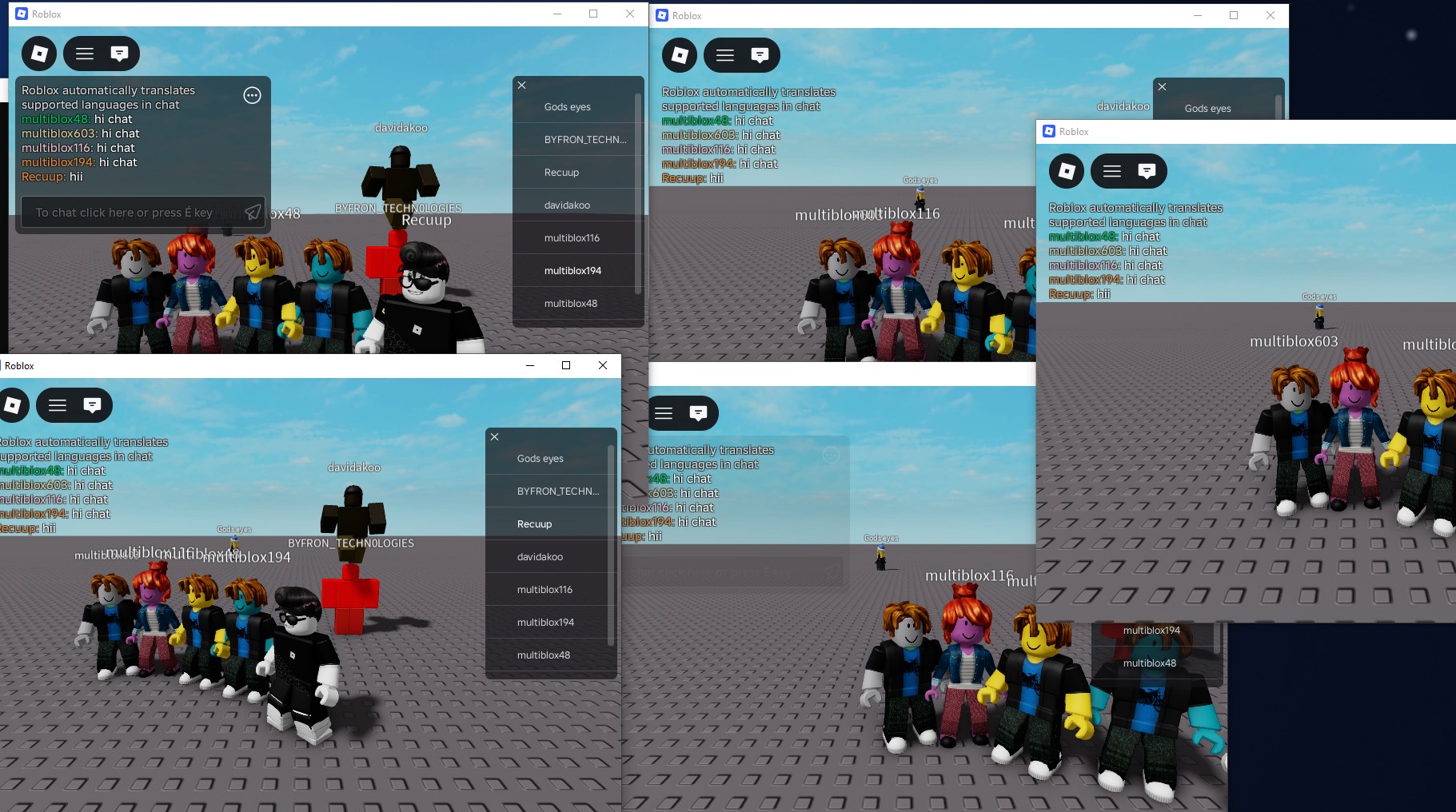
Whether you are keeping farming accounts online, testing across several accounts, or managing a multi-client setup, BloxyBot keeps the boring part out of the way.
Ready to run more sessions?
Small interface. Clear source. Built for the one job you came here for.
Requires Windows, Python 3.9.5, PySide6, psutil and the Handle utility. BloxyBot must run with administrator privileges.
No vague installer promises. Here is exactly what BloxyBot is for.
No. BloxyBot does not include a login form and does not need your Roblox credentials.
No. BloxyBot's current core works at the Windows process/handle level and does not inject gameplay scripts into the Roblox client.
Its multi-instance process handling needs elevated Windows permissions to interact with the Roblox singleton handle.
BloxyBot itself is a multi-instance manager. It keeps multiple clients available; it does not play the game or click for you.
Yes. Use the source download above to review the Python code before running BloxyBot.